Skip to the content

Download Shotbolt for Mac

Free to download and free to keep, with no account. Every download starts with 7 days of Pro.

Requires macOS 26 or later on a Mac with Apple silicon or Intel.

Version 1.4.0. What changed

Shotbolt checks for a new version once a day and installs it when you click Update Now. Nothing installs by itself.

Pro includes share links that last up to 7 days. Shotbolt Link keeps links for as long as you want.

Or with Homebrew: brew install --cask breukr/tap/shotbolt

Also on the Mac App Store, as Shotbolt Lite, and on iPhone. Compare all three

Two ways to get Shotbolt

Download it here, or get Shotbolt Lite from the Mac App Store. Most tools are the same in both, in Free and in Pro. Share links and Shotbolt Link are in both editions. Team and a few other features need the website edition. See What is different, and why, or compare them with the iPhone app.

Shotbolt

Downloaded from this site.

$0to download

Pro is one payment of $9.99 for 1 Mac, with 7 days of it to try first.

  • Every feature, with share links, Auto-scroll and Window layouts
  • Your settings from your previous screenshot app
  • A license key for 1 Mac or 2, with a 14-day refund
  • Updates from inside the app, when you click Update Now

Requires macOS 26 or later on a Mac with Apple silicon or Intel.

Shotbolt Lite

From the Mac App Store.

$0to download

Pro for Mac and iPhone is $19.99 once, Pro for iPhone is $9.99 once, or Pro Monthly is $2.99 a month. Shotbolt Link includes Pro for $4.99 a month or $47.99 a year. Prices are in US dollars; the App Store shows your local price.

  • Edit Text, on-device AI and AI-safe Copy with Pro
  • Share links from your own Pro purchase; Link includes Pro and keeps links longer
  • Send to AI with manual paste; manual scrolling capture
  • Purchases, subscriptions, refunds and updates through Apple

Requires macOS 26 or later.

Three steps to your first capture

  1. Open the download

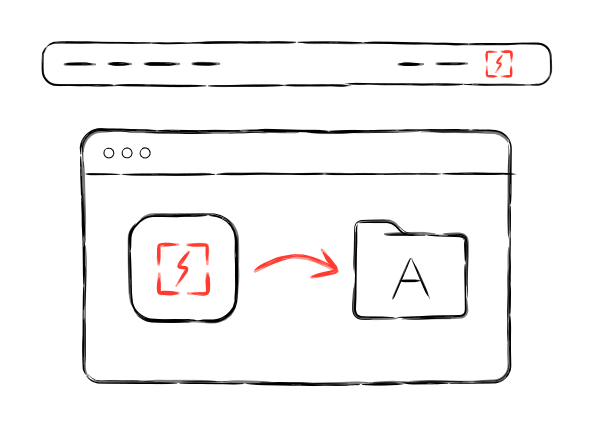
    Drag Shotbolt to your Applications folder and open it. It lives in the menu bar and has no main window.

  2. Allow Screen Recording

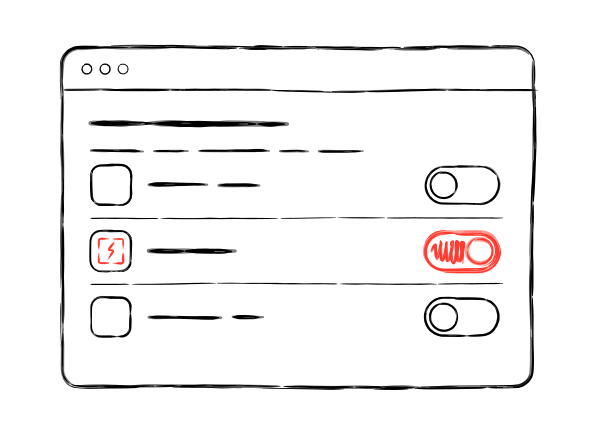
    macOS asks the first time. It is the only permission a screenshot needs. The microphone, the camera, the keystroke overlay, Auto-scroll and Window layouts ask for their own, and only if you turn them on.

  3. Press

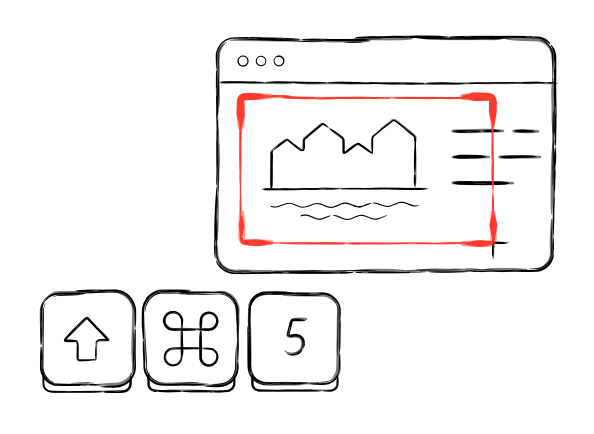
    A short welcome tour sets your shortcuts and ends with a real capture. macOS keeps , and for its own screenshots until you turn those off in System Settings; the tour shows you where, or you can pick other keys.

Read the getting started guide

What is different, and why

Every Mac App Store app runs in Apple's sandbox, which keeps it to its own files and the folders you pick, sells upgrades through Apple and gets its updates from the App Store. Lite is Shotbolt built to those rules.

Buying Pro
Shotbolt: One payment on this site, with a license key for 1 Mac or 2. Refunds within 14 days, from us.Lite: Pro for Mac and iPhone is $19.99 once, Pro for iPhone is $9.99 once, or Pro Monthly is $2.99 a month. Shotbolt Link includes Pro for $4.99 a month or $47.99 a year. Prices are in US dollars; the App Store shows your local price.Why: Apple handles purchases, renewals and refunds for the App Store apps.
Trying Pro
Shotbolt: Every download starts with 7 days of Pro.Lite: Eligible new subscribers can try a subscription with its App Store introductory offer. Restore Purchases keeps an earlier trial's original end date.Why: App Store offers depend on your Apple Account and subscription history.
Share links
Shotbolt: Pro includes links up to 7 days. Link and Team keep links longer.Lite: Your own Pro purchase includes links up to seven days. Shotbolt Link keeps them longer and includes Pro. Family-shared Pro unlocks the tools, but share links need your own purchase. Team is available in the website edition.Why: The sharing account comes from your App Store purchase, with no email or password.
Send to AI Pro (Shotbolt Pro)
Shotbolt: Brings your last AI app or coding agent forward and can paste an AI-safe capture for you with permission.Lite: Brings your last AI app forward with an AI-safe capture ready to paste yourself.Why: Lite does not control another app or inspect a terminal's coding agent.
Updates
Shotbolt: Click Update Now when Shotbolt offers an update.Lite: The App Store delivers updates.Why: Each edition uses its own distribution channel.
Scrolling capture Pro (Shotbolt Pro)
Shotbolt: Auto-scroll or scroll yourself.Lite: Scroll yourself; Lite stitches as you go.Why: Lite does not ask for Accessibility access.
Keystrokes and Window layouts
Shotbolt: Optional keystroke overlays, shortcuts as recorded steps, and Window layouts.Lite: Not included.Why: Lite does not request Input Monitoring or control other windows.
The internet
Shotbolt: Update and license checks, plus sharing when you choose it.Lite: Qualifying purchases are verified with the sharing server. Captures upload only when you share a link. No app analytics or ad tracking.Why: Link needs a sharing account; Apple still handles billing and updates.
History
Shotbolt: History stays on this Mac.Lite: Each device keeps its own History, on that device.Why: History stays where you made it in these releases.
Three answers

Requires macOS 26 or later on a Mac with Apple silicon or Intel.

What happens after 7 days?
Shotbolt keeps working as Free, with no time limit, and nothing you made is locked. If you want to keep Pro, it is one payment. Compare Free and Pro
Does anything leave my Mac?
Not unless you share them. Capturing, editing and History work on your Mac, and a capture is uploaded only when you make a share link. Shotbolt goes online for a daily check for a new version, which you can turn off, and a license check if you enter a Pro key. A new version downloads only when you click Update Now. It sends your email address only if you sign up for product news in the app. More about privacy
Coming from another screenshot app?
On first launch Shotbolt brings over your shortcuts, save folder and after-capture actions from the screenshot app you used before, if it recognizes that app. If it does not, the welcome tour sets your keys, and every key can be changed later.
Download for Mac