
Press kit
A screenshot app for Mac that changes the words inside a screenshot, covers personal data before AI sees it and writes step guides from your clicks. Shotbolt Pro is one payment, $9.99 until December 31, 2026.
About Shotbolt
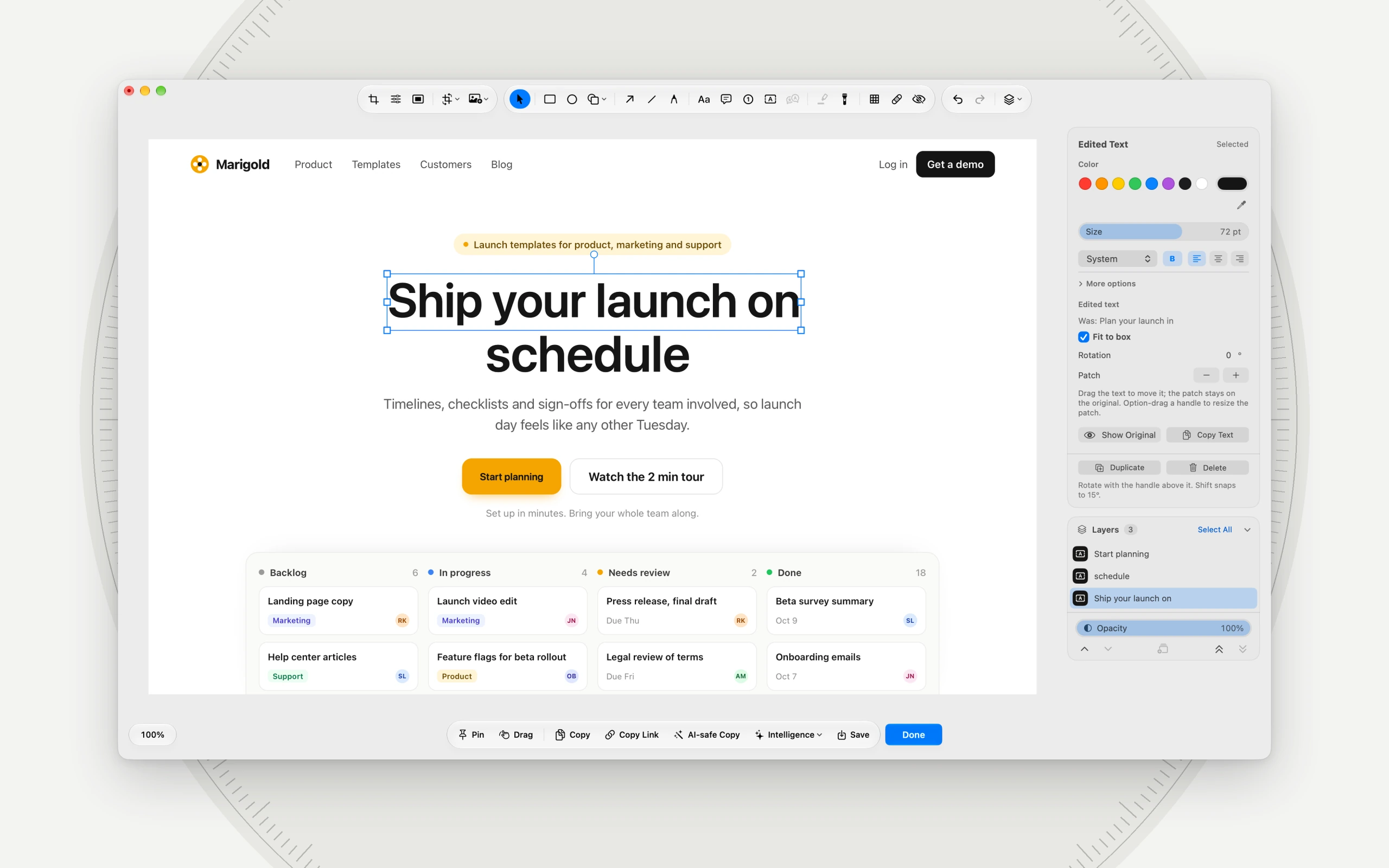
Shotbolt goes further than a screenshot app usually does. Edit Text changes or translates the words inside a screenshot. AI runs on the Mac itself: Automatic Redact covers personal data, Extract Table turns a table into rows and columns, and on a Mac with Apple Intelligence, Explain Error, Summarize and Alt Text read a capture without uploading it. AI-safe Copy puts a redacted screenshot on the clipboard for ChatGPT, Claude or Gemini, share links can live on your own storage, and step guides write themselves from your clicks.
These are Shotbolt Pro features, and Shotbolt Pro is one payment, not a subscription. Without it, Shotbolt is free forever, with no account. Every feature, Free and Pro marked: Features.
In short
Free forever. Shotbolt Pro is one payment, $9.99 until December 31, 2026.
macOS 26 or later, on Apple silicon or Intel.
Made in the Netherlands.
Screenshots
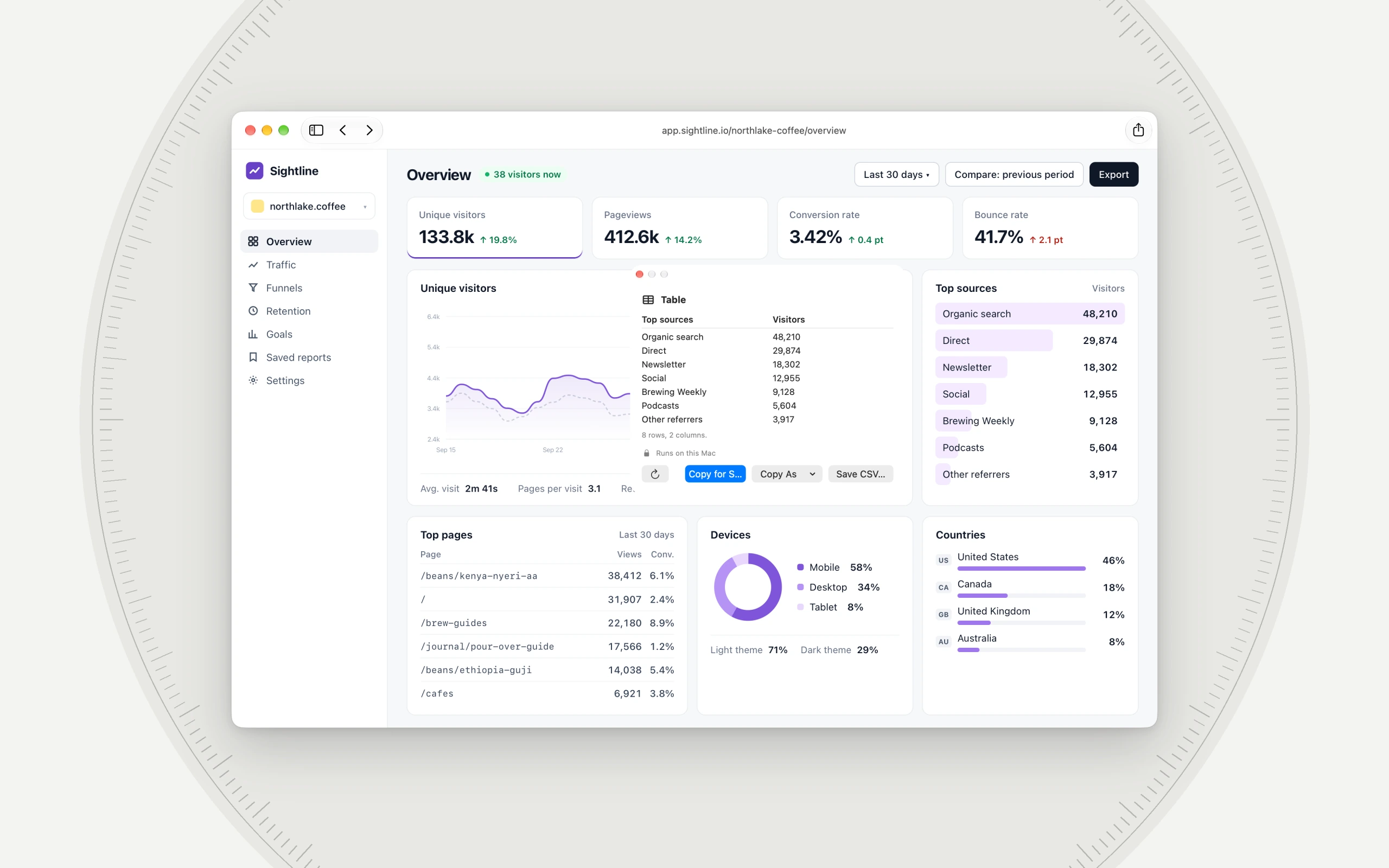
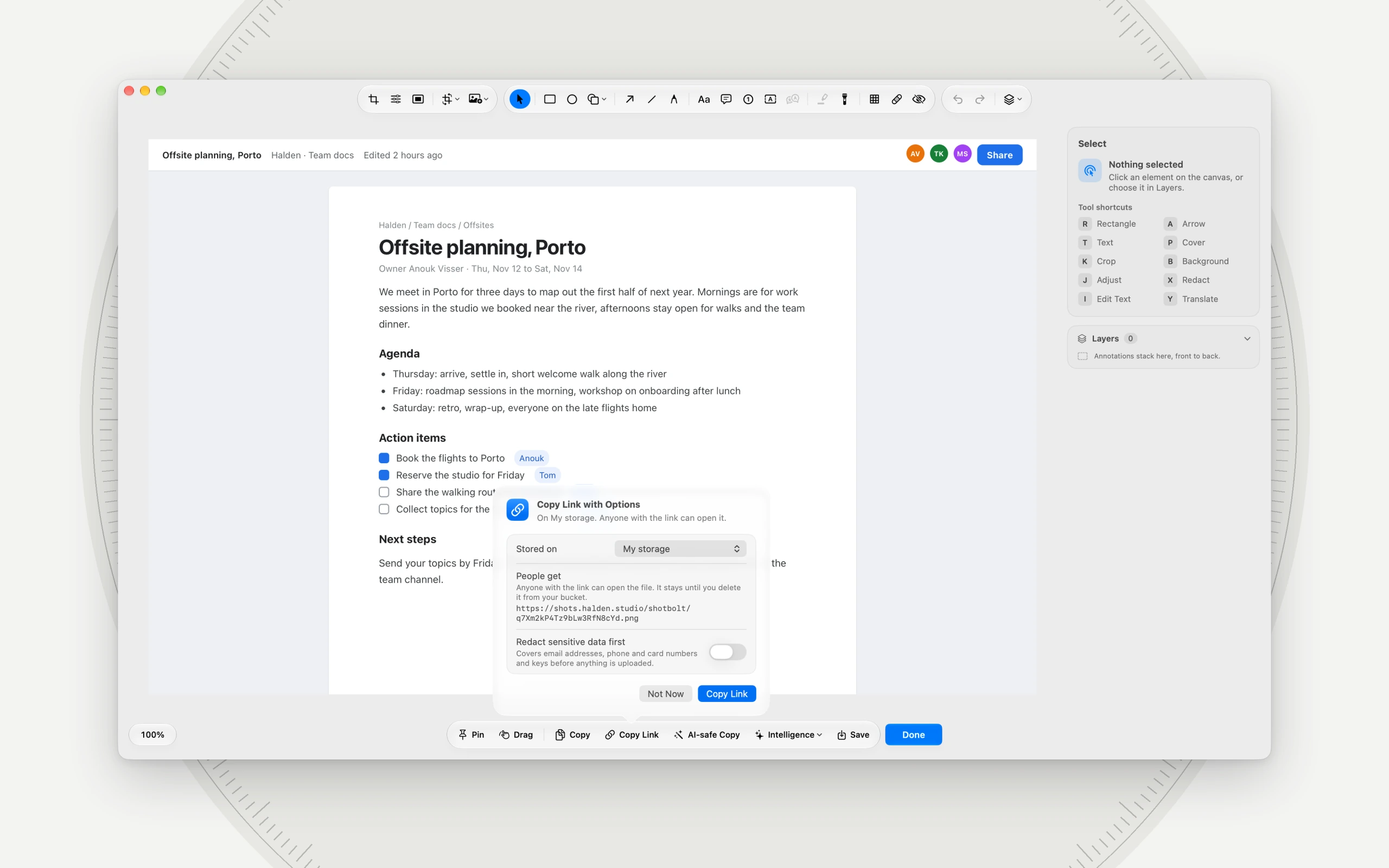
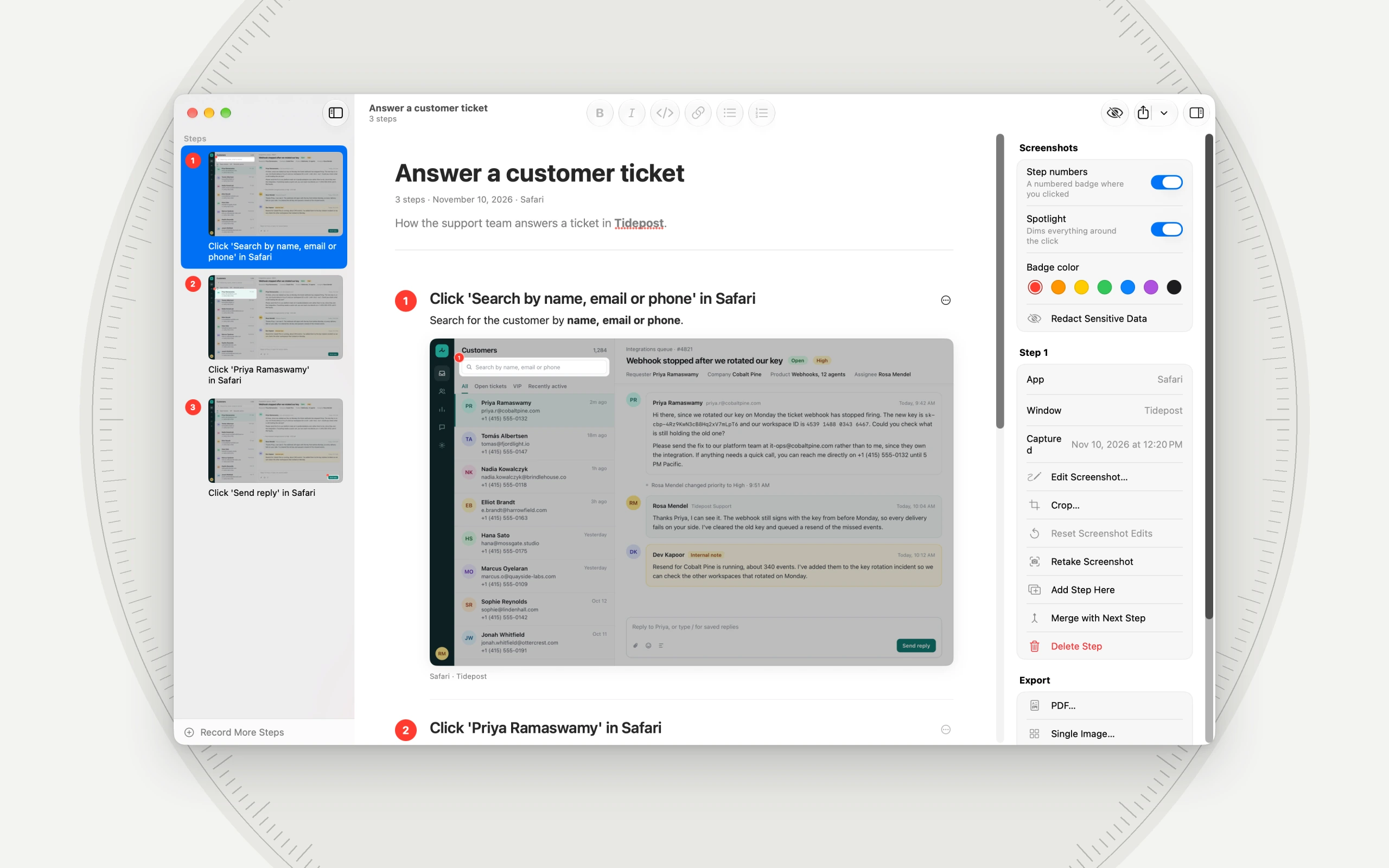
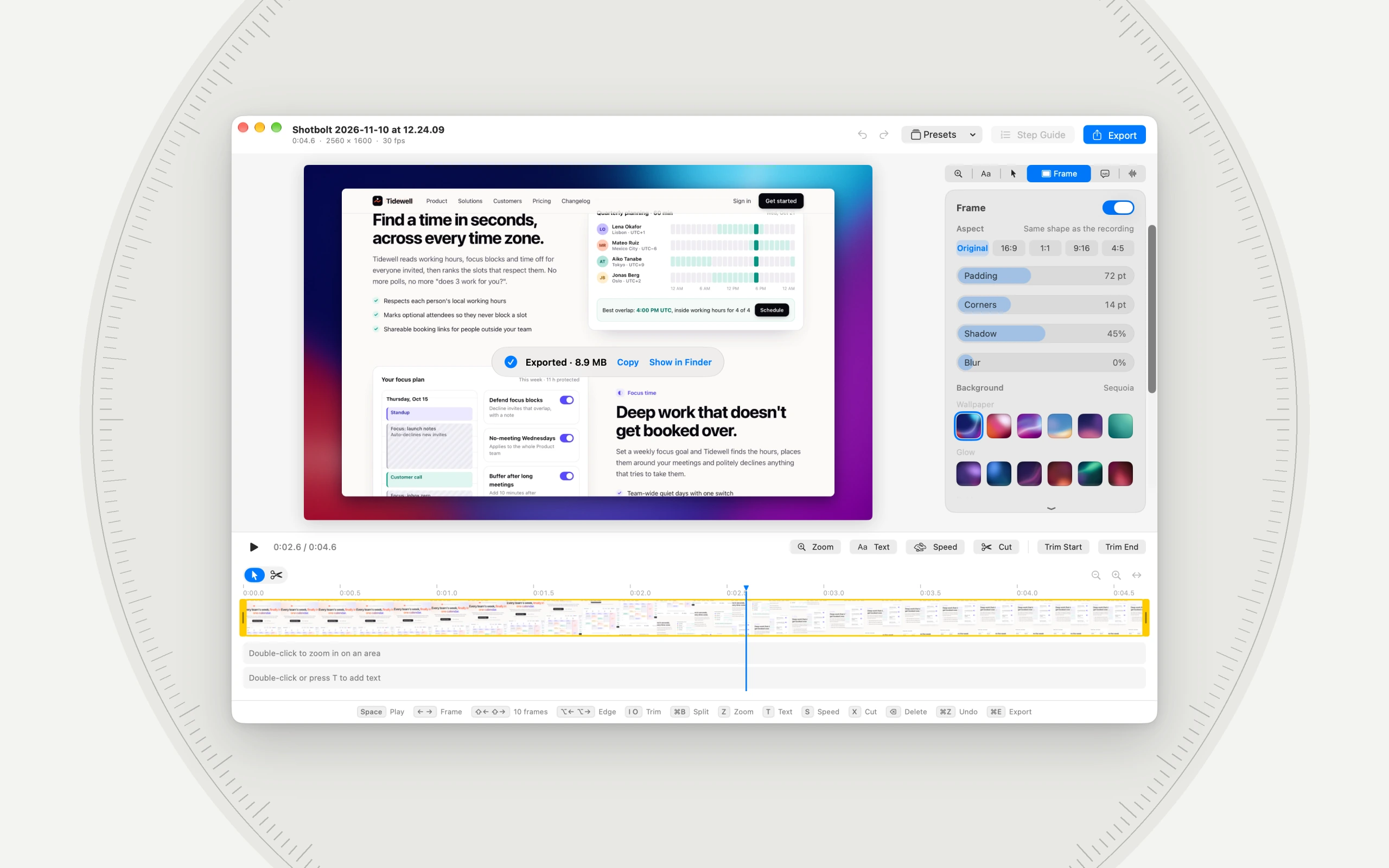
Shotbolt 1.3.0 at work, each still a real window of the app. Click one for the large picture; the ZIP has every still at 3840 × 2400.
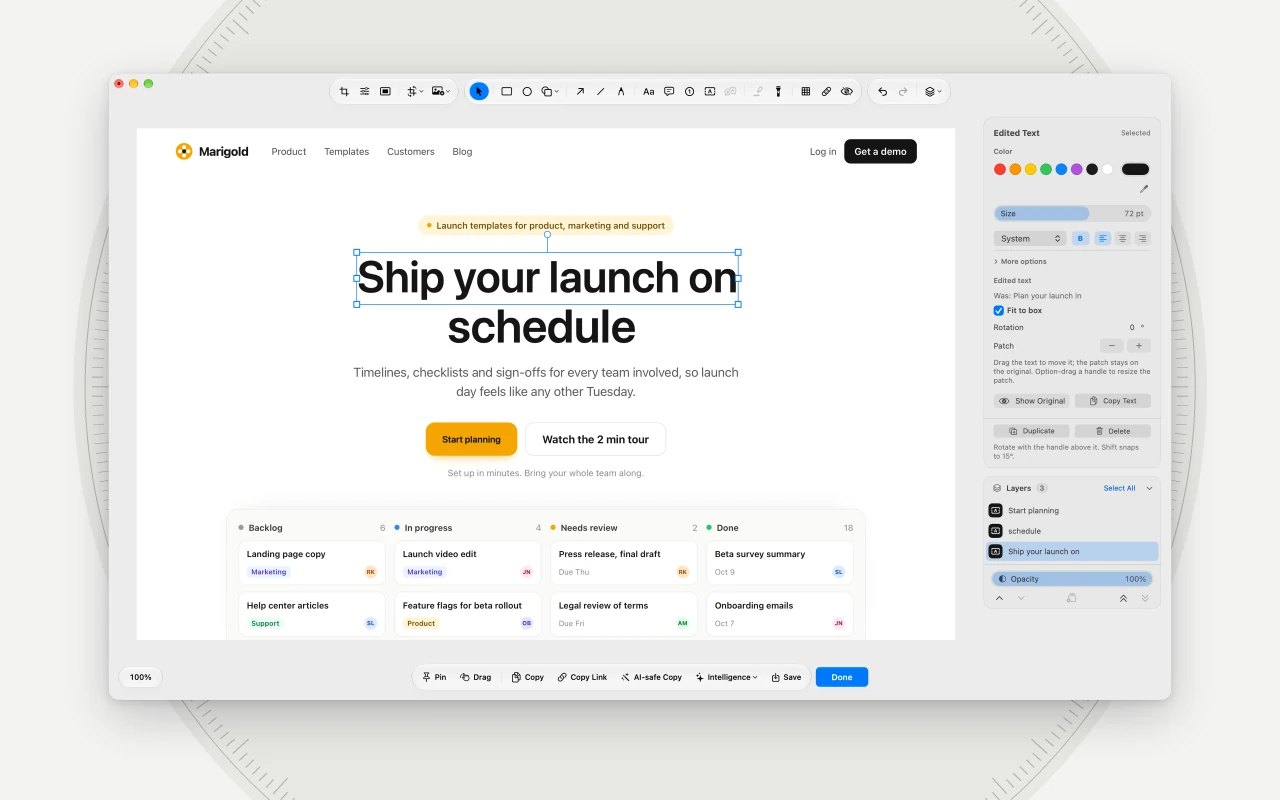
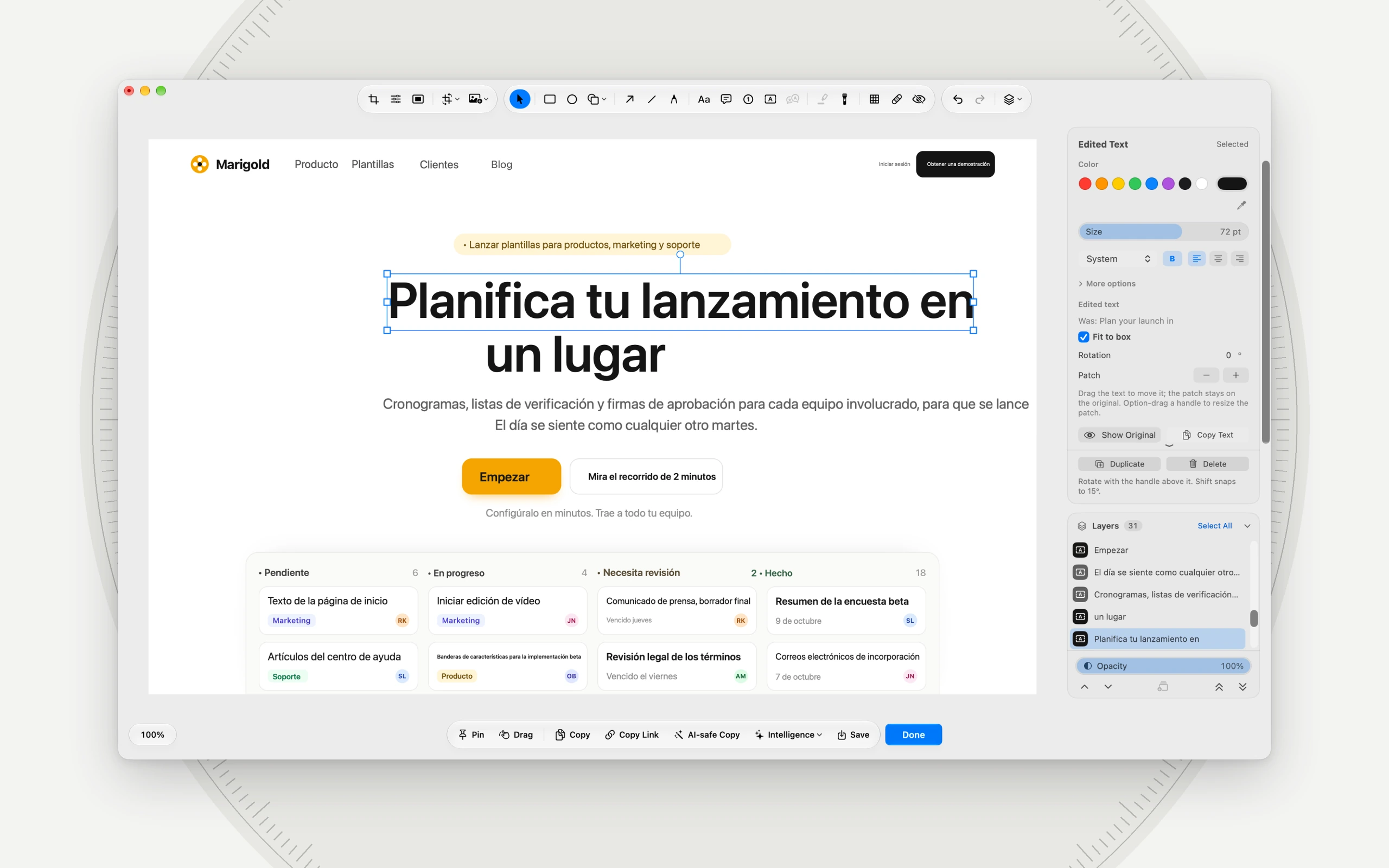
Edit Text Pro (Shotbolt Pro) Change the words inside a screenshot. Click a line, type, and the inspector keeps what it said before.
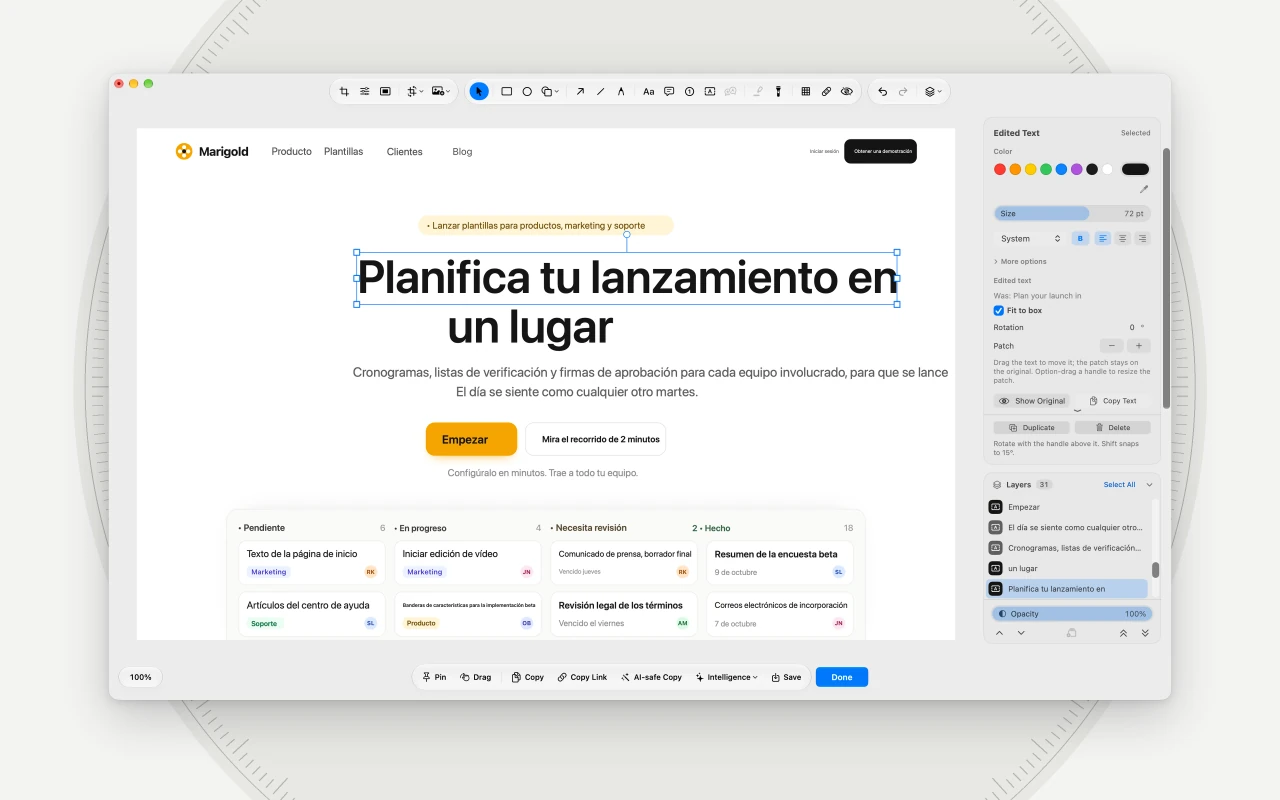
Translate Pro (Shotbolt Pro) Every line of a screenshot translated on your Mac, here from English into Spanish, in place.
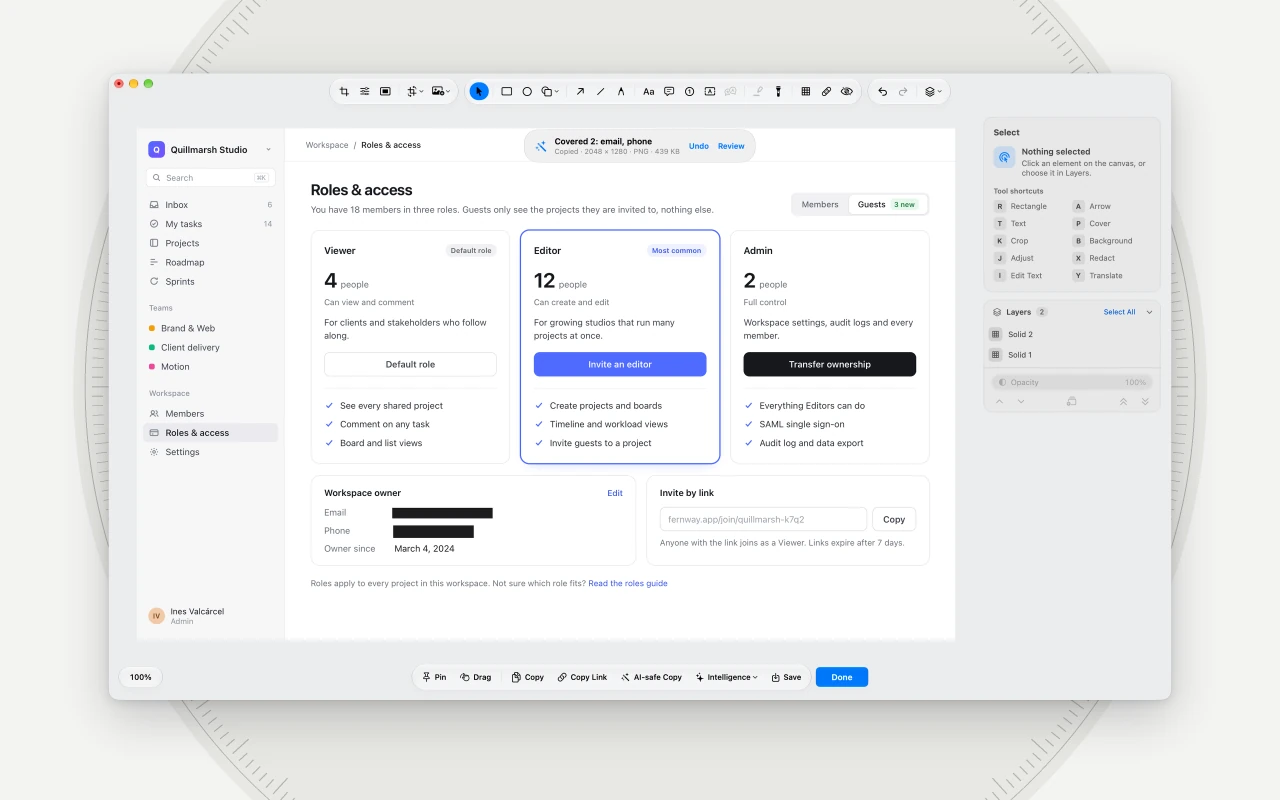
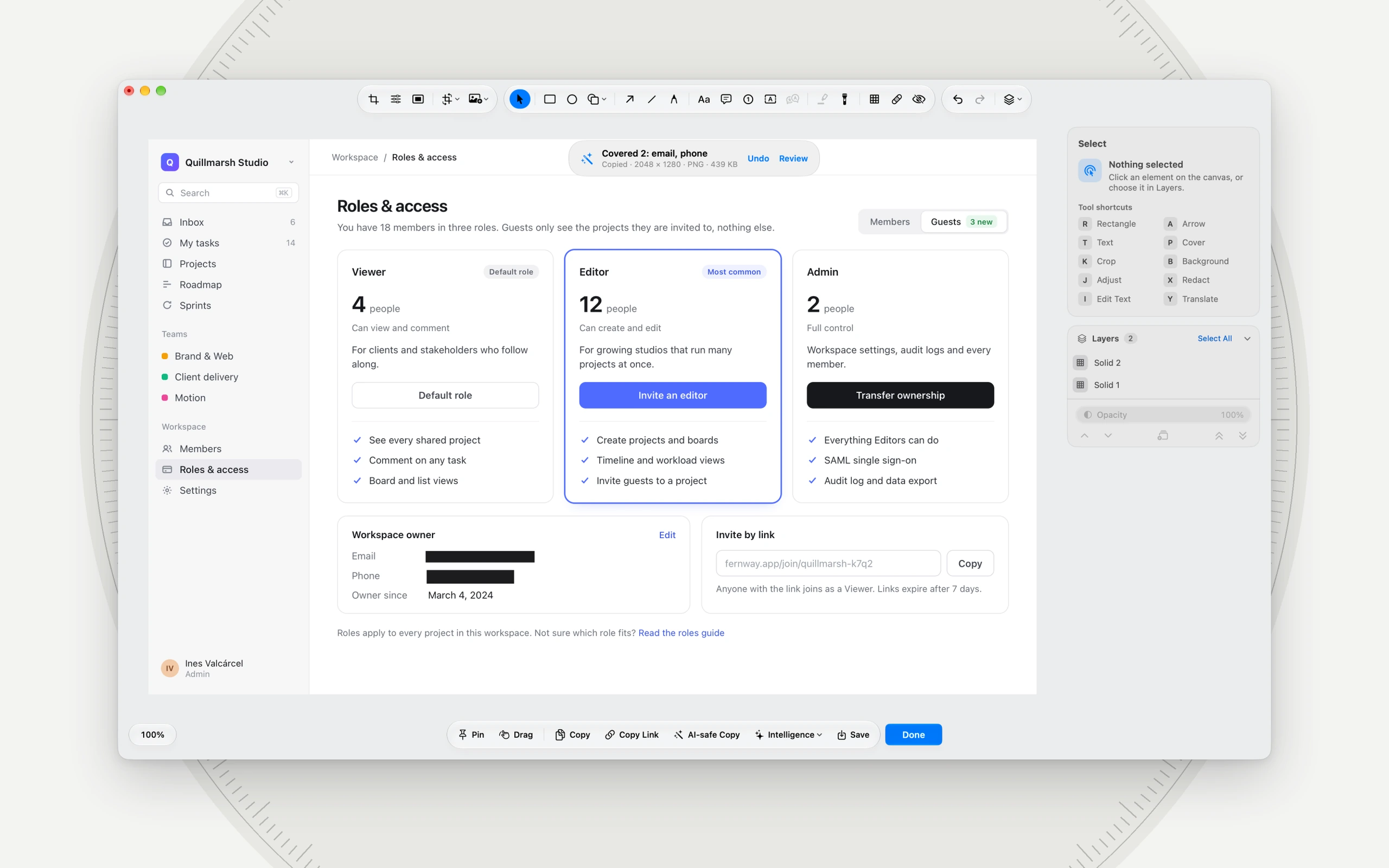
AI-safe Copy Pro (Shotbolt Pro) One click copies a screenshot for Claude, ChatGPT or Gemini with the email and phone number covered. Review shows what was covered.
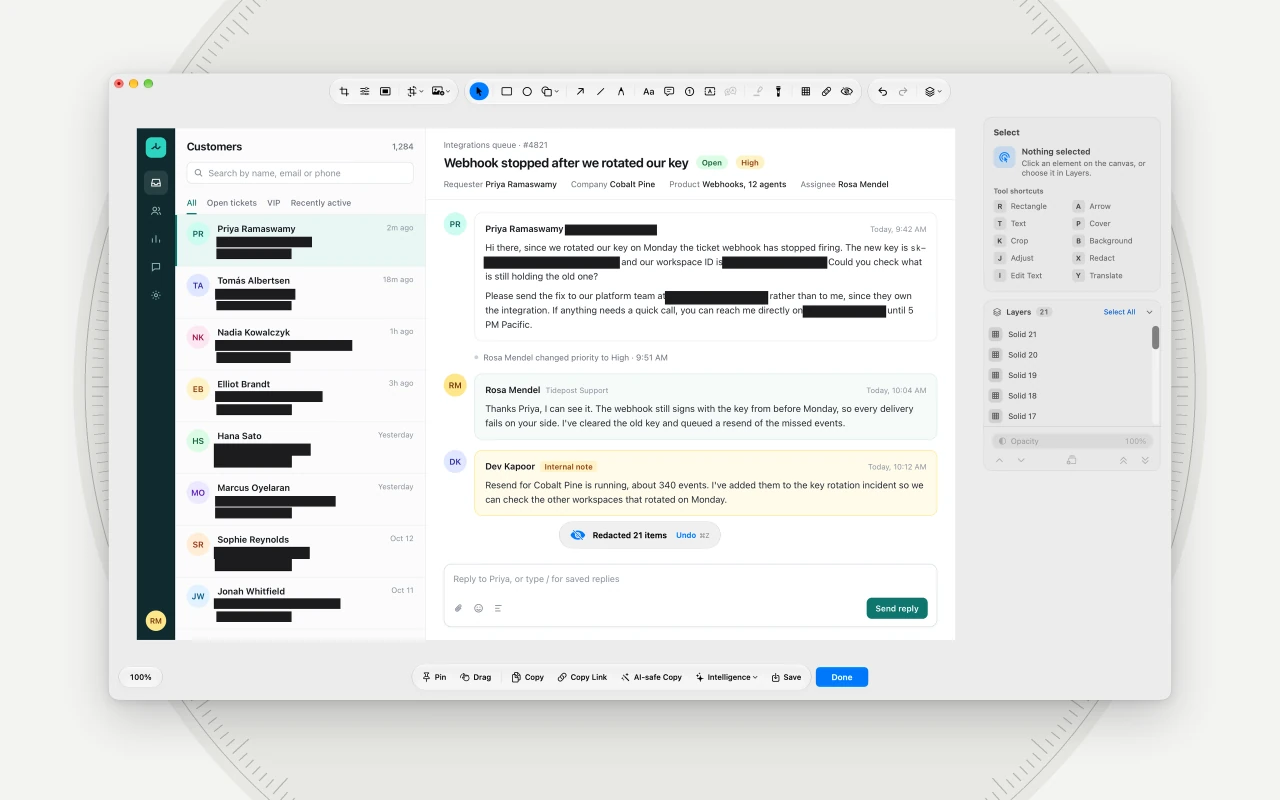
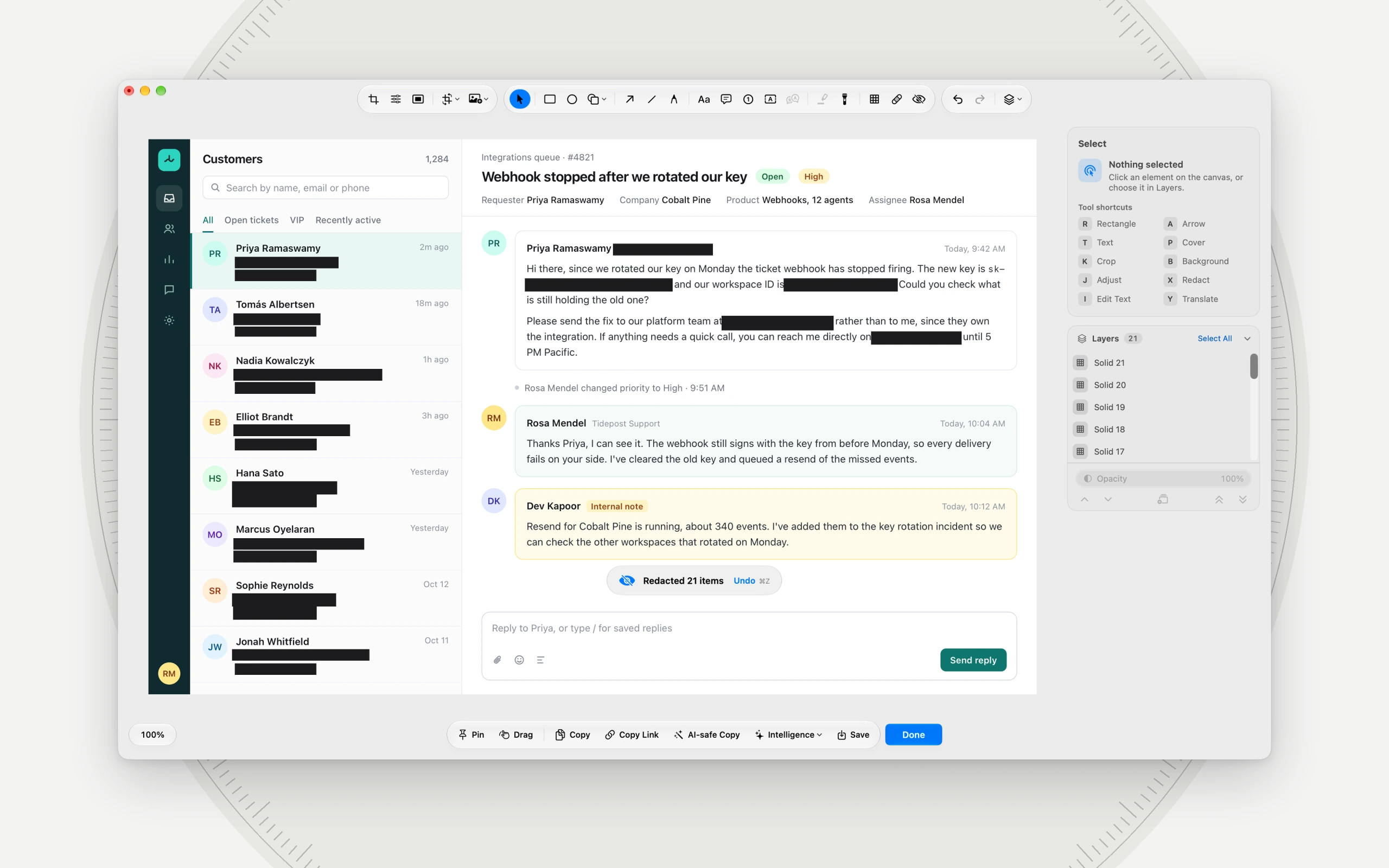
Automatic Redact Pro (Shotbolt Pro) Emails, phone numbers, a key and a card number in a support inbox, found and covered in one click.
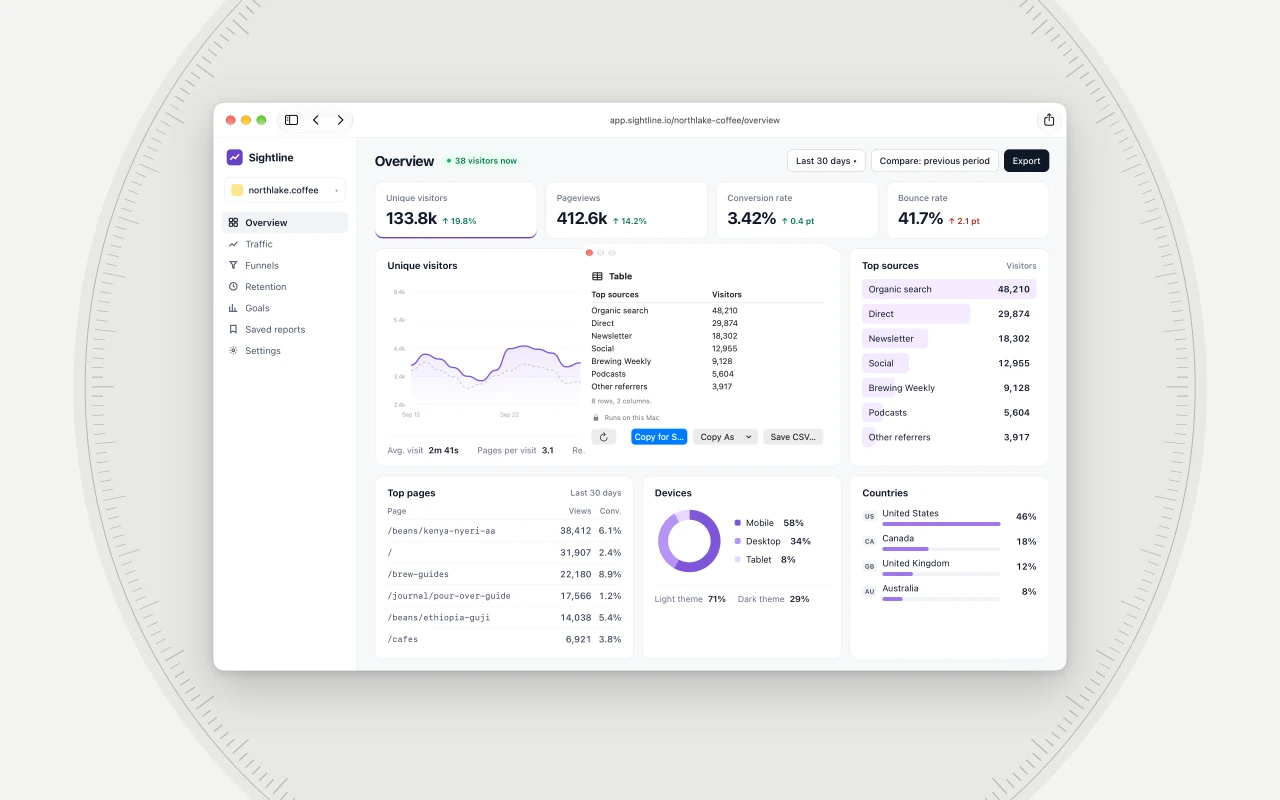
Extract Table Pro (Shotbolt Pro) A table in a screenshot read on your Mac into rows and columns, ready for a spreadsheet or a CSV file.
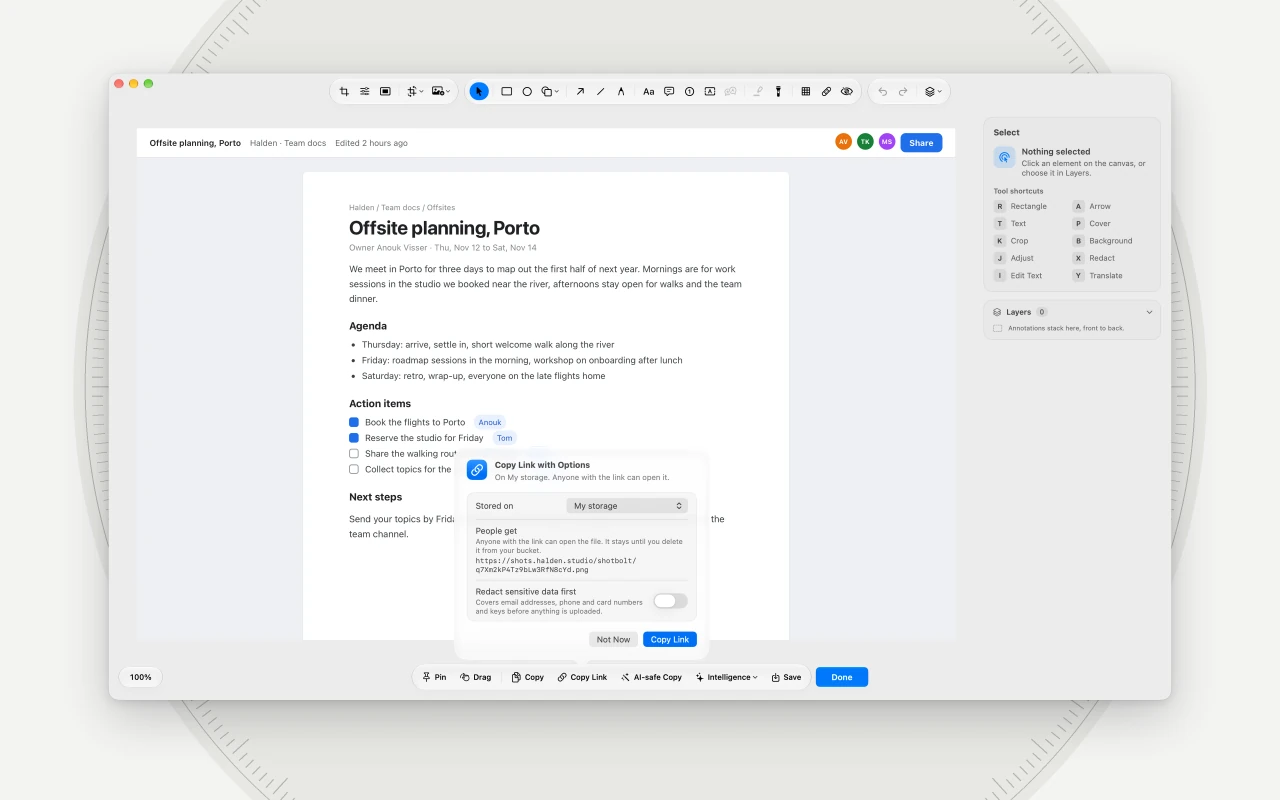
Share links on your storage Pro (Shotbolt Pro) Copy Link can upload to your own S3-compatible storage, so the link people open points at your bucket.
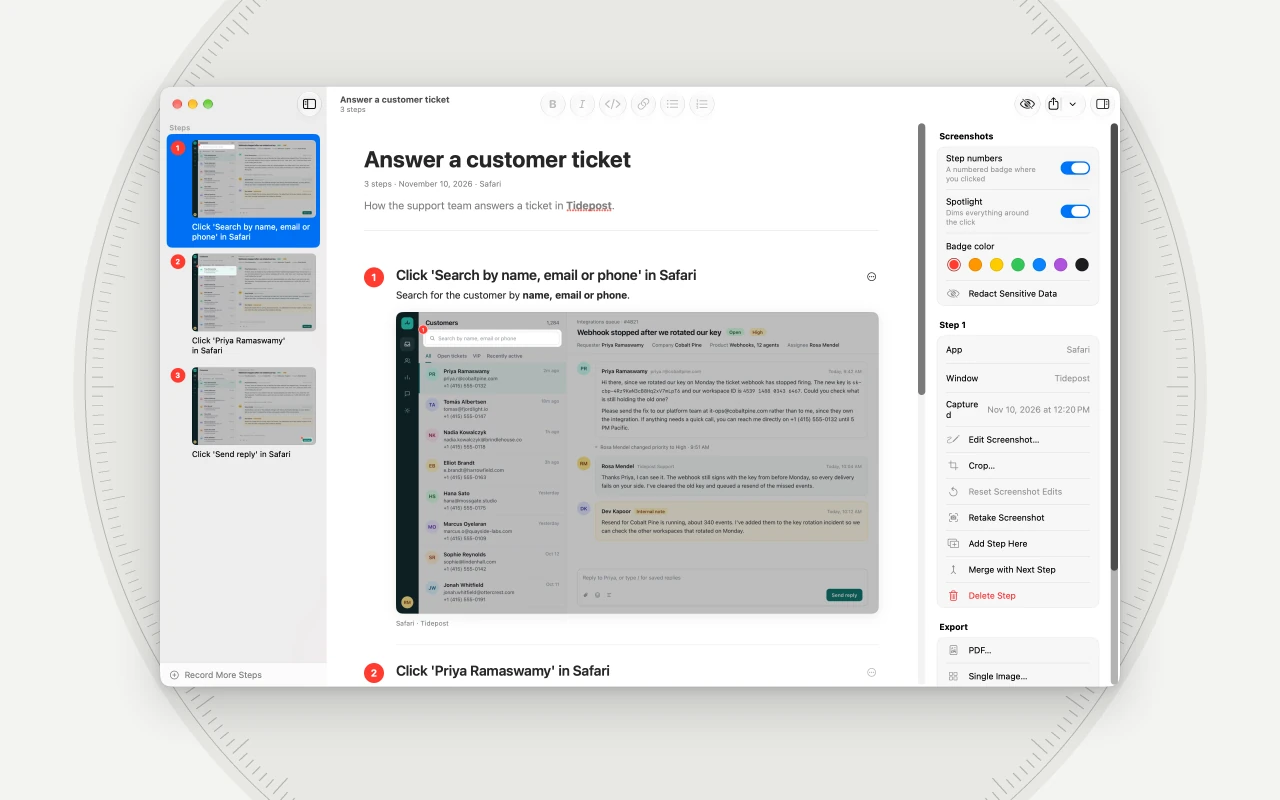
Step guides Pro (Shotbolt Pro) Click through a task once and Shotbolt writes the guide: a numbered step and a screenshot for every click.
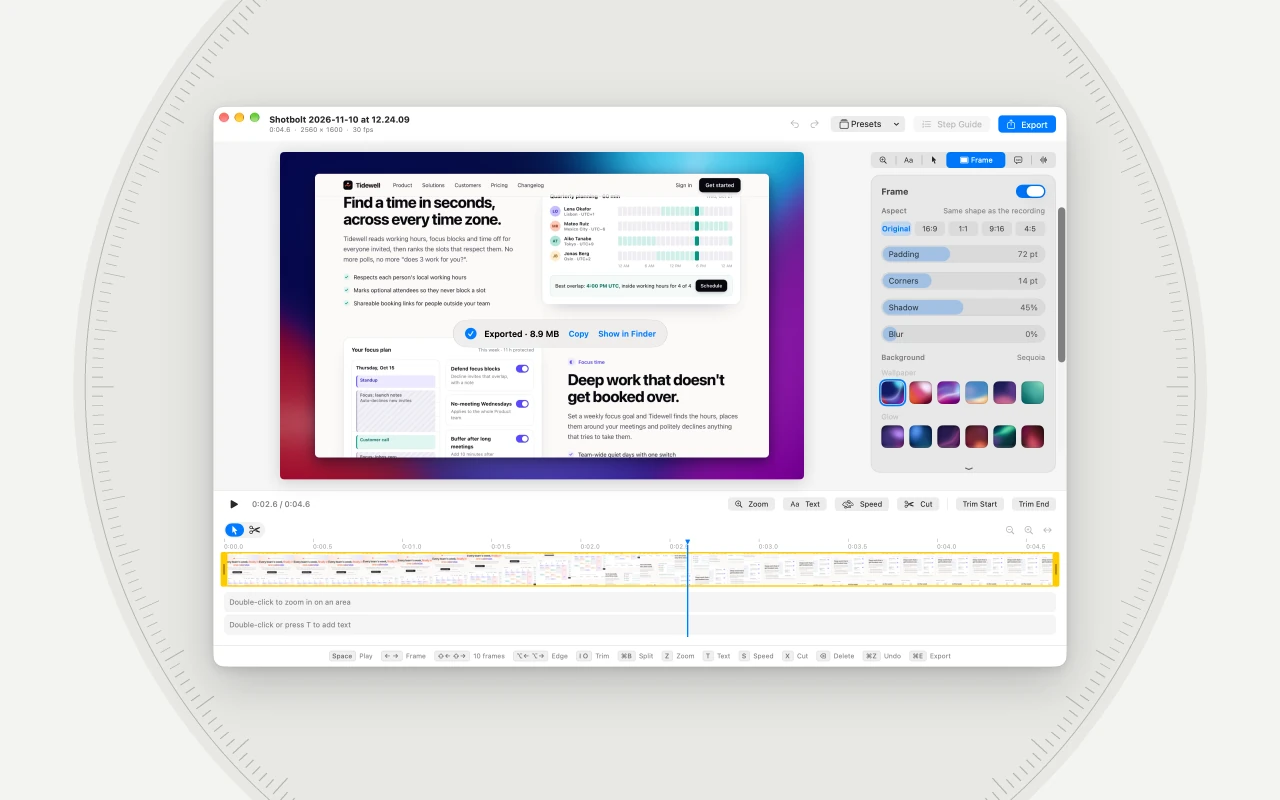
Screen recording Pro (Shotbolt Pro) The video editor trims, zooms, adds text and a background, and exports a GIF or a video.
The Shotbolt 1.3 film
Share links on your own storage, and private links that are encrypted on your Mac and open only with their password. What 1.3 added, in 30 seconds.
MP4, 1920 × 1080, with sound, 18.3 MB. Private links need Shotbolt Link; your own storage needs Shotbolt Pro.
Download the filmWhat people wrote
“The coolest feature that sets it apart is its ability to OCR tables and convert them to TSV. That’s always been a sticking point for screen capture OCR apps for me.”
Extract Table is part of Shotbolt Pro. Pro (Shotbolt Pro)
“I purchased Shotbolt at full price earlier this week and I’m blown away by the features and functionality […] I couldn’t be happier!”
u/SlowTap, r/macapps, “What I love most is how much thought has clearly gone into it. It feels like you’ve considered pretty much every situation where someone might need a screenshot and found a way to make it all work in one app without making things complicated. That’s actually pretty impressive.
And on top of that, it feels incredibly native to macOS. Honestly, I could easily see this being an Apple app.”
u/Agitated_Bar_712, r/macapps, “I second Shotbolt. I’ve been on the hunt for something that doesn’t cost an arm and a leg and has the features I’m looking for. This one is it!”
u/InspectHer_1, r/macapps, “The level of detail that the developer has put into this app is very thorough. I highly recommend you all check it out. It is a really, really good app!!”
u/Federal-Translator60, r/macapps, “You might have done it, and actually produced a screenshot program I will use. Seriously, I sank so much money into the competition, never used one for longer.
Got me on the onboarding, when Hyper was an actual option. Starts with small things like that, keeps going.”
u/LardPopsicle, r/macapps, “I’ve been using this for a little while now and it’s really quite good. It nails everything I need at a really nice price. Good job!”
u/InspectHer_1, r/macapps,
Public comments on r/macapps, quoted word for word. Nobody was paid or asked to write them. Some early commenters received a free license at launch.
Facts
- Name
- Shotbolt
- What it is
- A screenshot and screen recording app for Mac.
- Price
- Free forever, with no account. Shotbolt Pro is one payment of $9.99 (launch price until December 31, 2026, then $19.99). Shotbolt Pro for 2 Macs: $17.49.
- Trial
- Every download starts with 7 days of Pro, then keeps working as Free.
- Refund
- 14 days, no questions asked.
- Sharing
- Share links come with Pro. Shotbolt Link, an optional subscription for links that stay, is $5 a month or $48 a year.
- Requires
- macOS 26 or later, on Apple silicon or Intel.
- Version
- 1.3.0. The first public version, 1.0.0, came out on October 8, 2026.
- Website
- shotbolt.app
- Made in
- the Netherlands
Every release and its date: the changelog.
Contact
For questions, interviews or a closer look at a feature, email support@shotbolt.app.